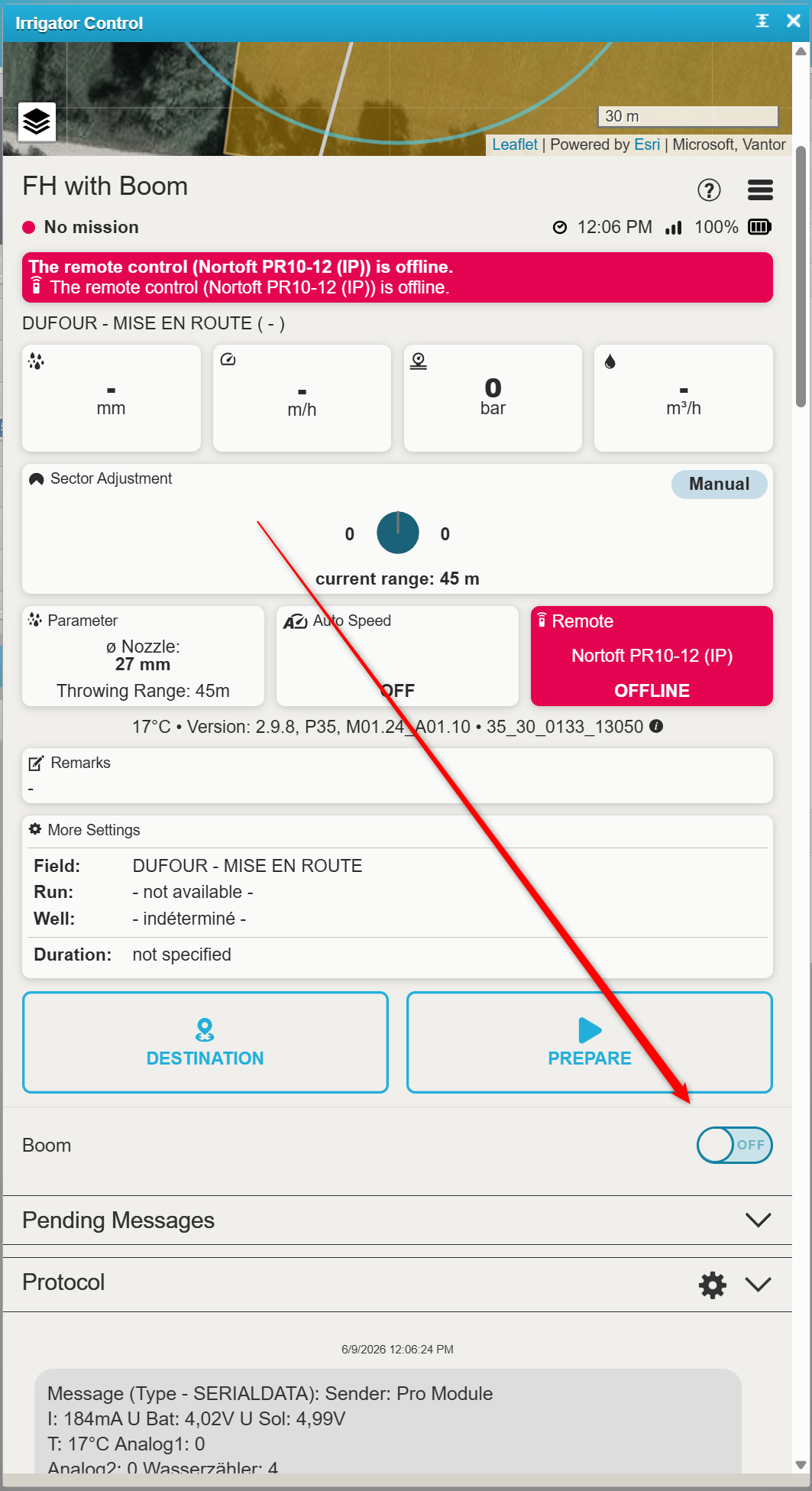
Setup Sector Control with a boom on a Fasterholt
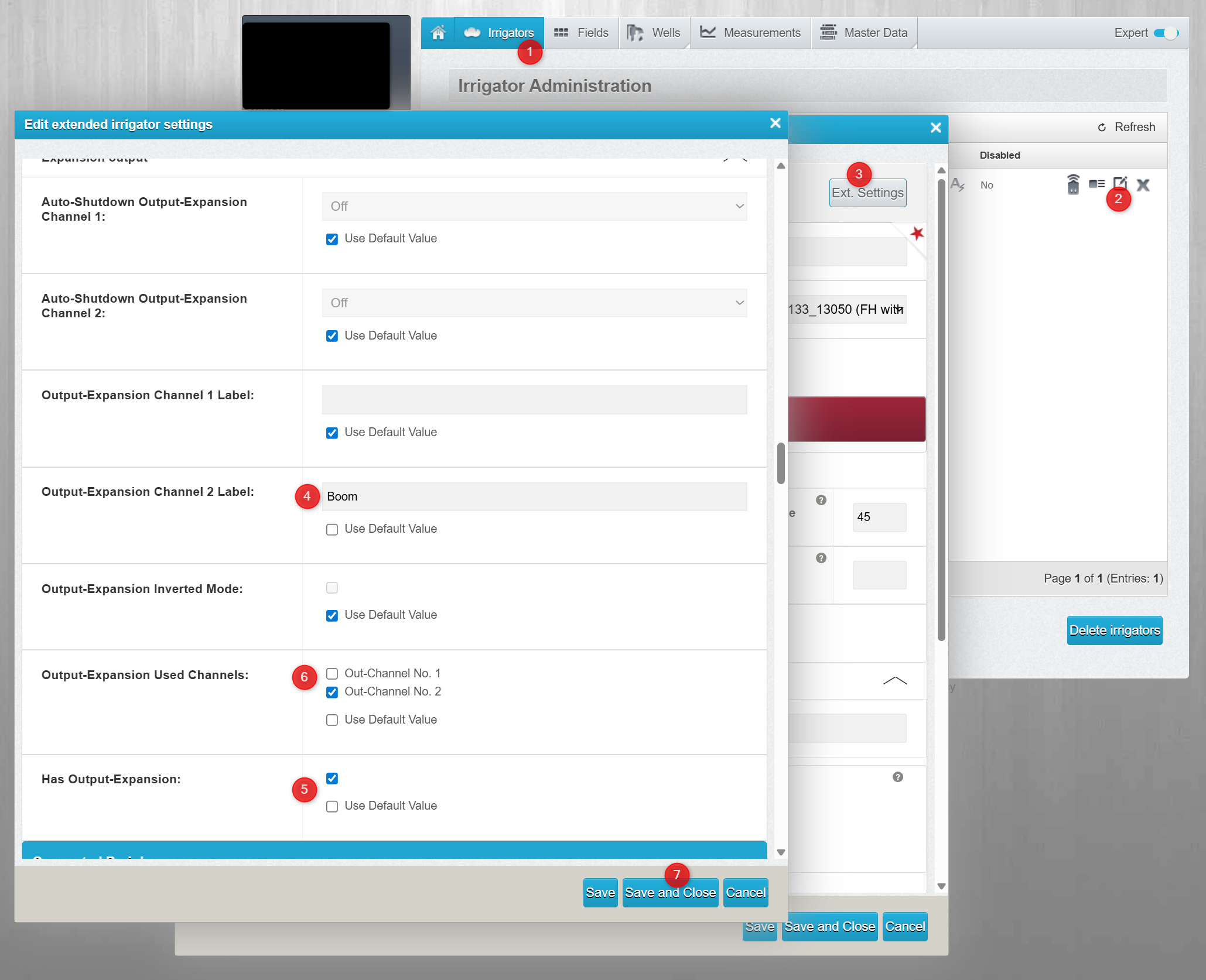
To activate the Boomswitch in the Raindancer App, you need to go to extended settings and activate output channel two.
In default these settings are disabled. so you need to disable default checkbox and activate the features.
- has expansion ouput: active
- Output-Expansion Used Channels: Just output 2
- Output-Expansion Channel 2 Label: Boom (or similar (just the label)
After activating the inpunt, the Output switch will be visible in control mask.