Connect the reset stick straight and pull it straight out again. Never wiggle or twist the reset stick
[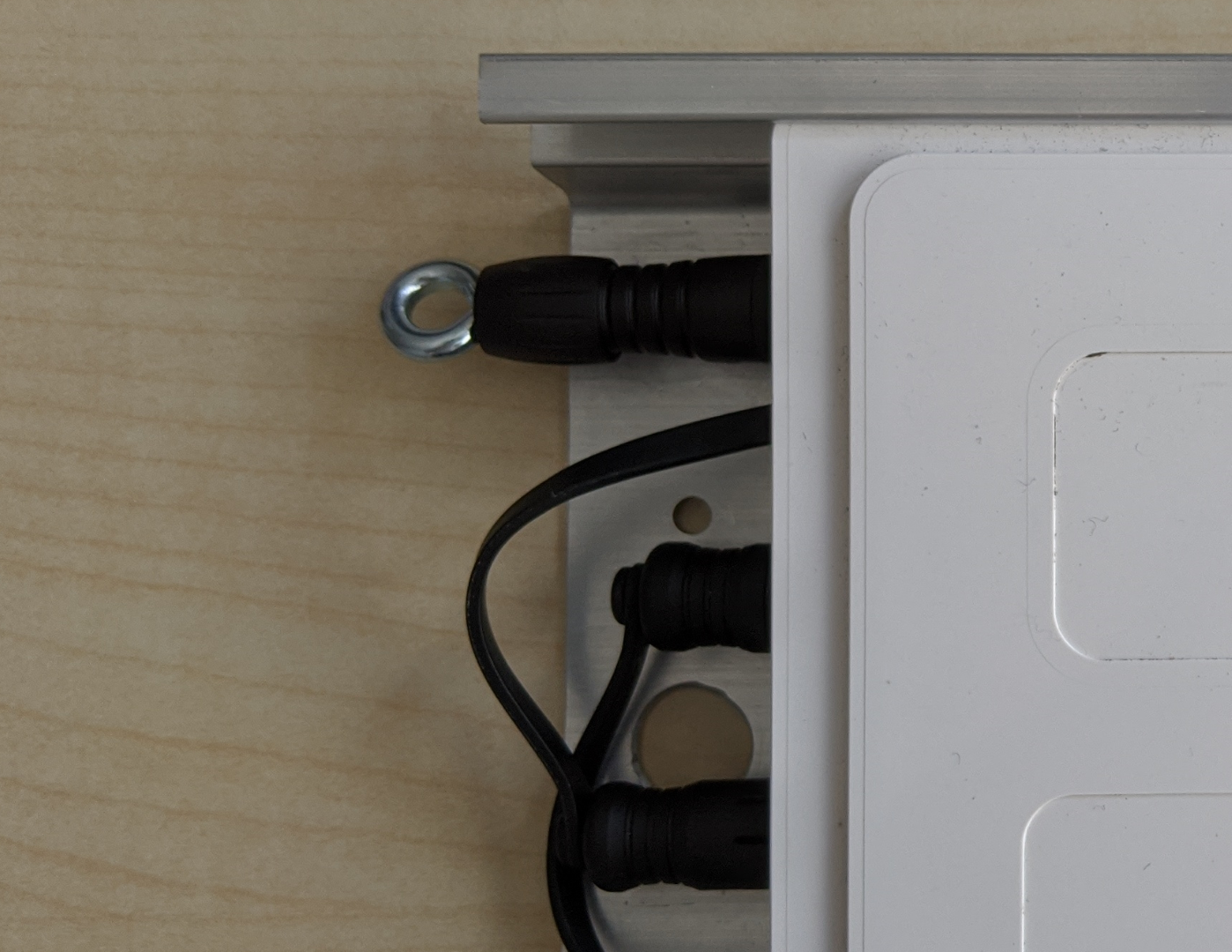](https://help.raindancer.com/uploads/images/gallery/2024-03/image2020-7-13-16-27-35.png)[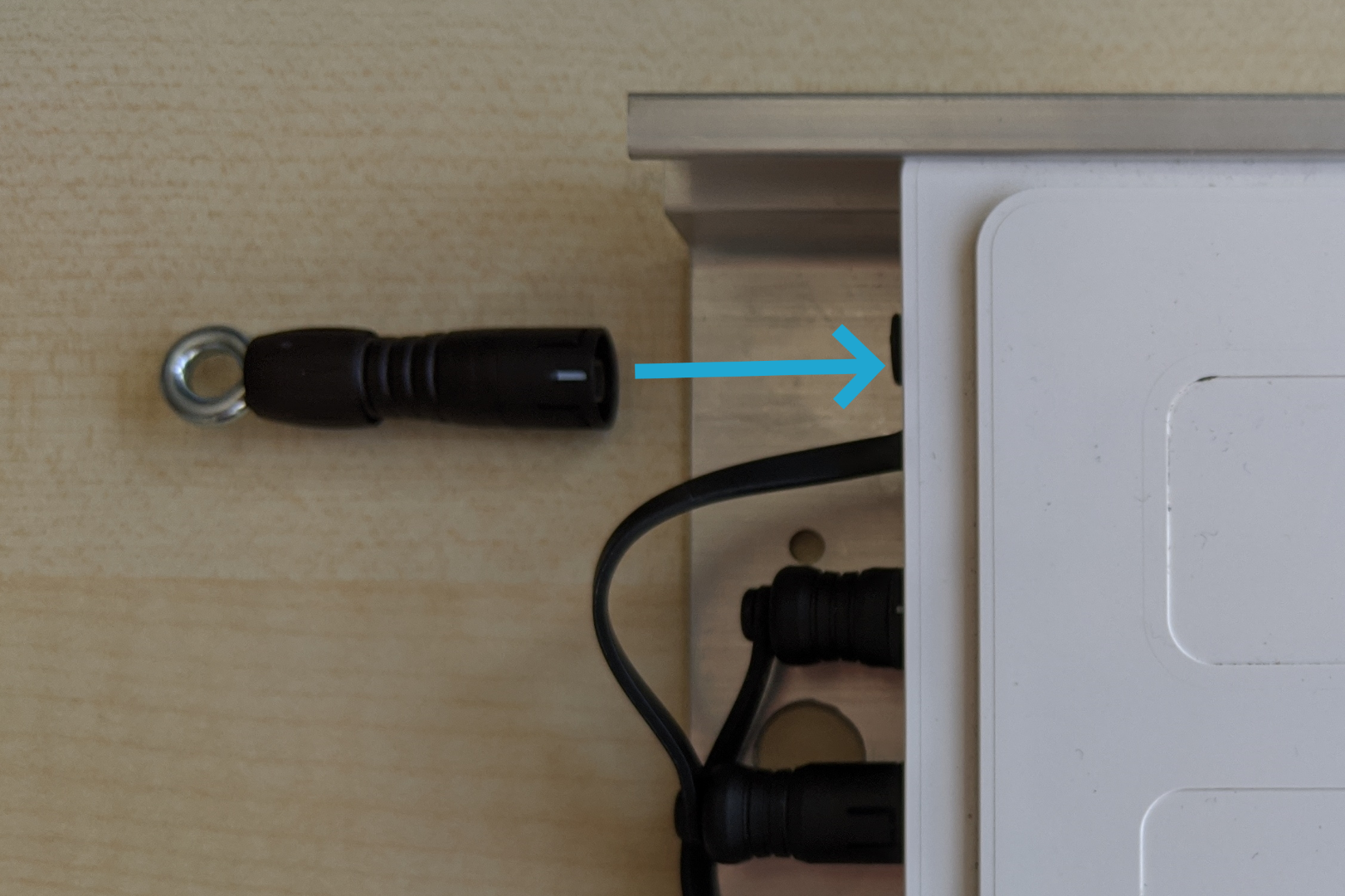](https://help.raindancer.com/uploads/images/gallery/2024-03/image2020-7-13-16-27-54.png) Wait a few seconds and disconnect the plug again. The device will then restart and the connection should be re-established within a few minutes.Of course, your previously recorded irrigation data or information about fields etc. is retained.
Which Devices Can I Reset? You can recognise a Pro device by the **"Pro"** suffix on the identification label or by the serial number.Please note that this procedure only works with Pro devices and second-generation standard devices.
[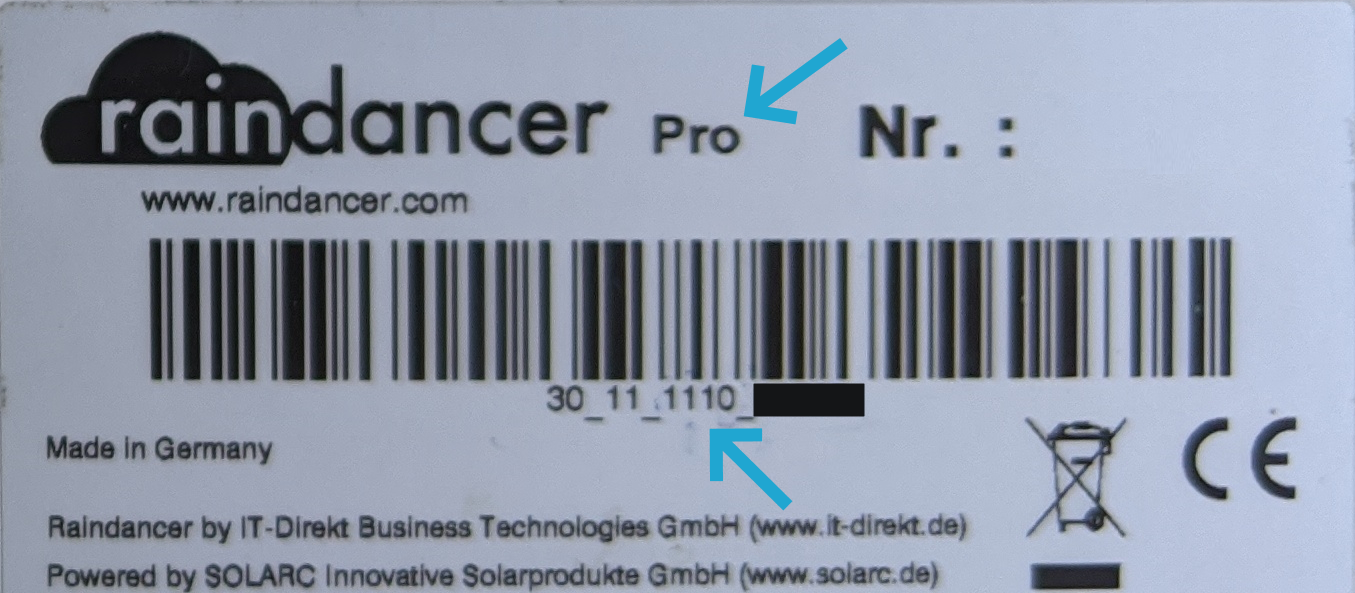](https://help.raindancer.com/uploads/images/gallery/2024-03/Xgeimage.png) **You can only recognise a standard device by its serial number.** Serial number of a **Pro** device:XX\_XX\_**X1X(X)**\_XXXXX
Serial number of a **second generation standard** device:XX\_XX\_**XX2(X)**\_XXXXX
The X stands for any number. For some serial numbers, the bracketed (X) is not present